Markdown Syntax Guide
Docunaut supports all standard markdown features plus extensions.
Headings
All six heading levels are supported with automatic anchor IDs:
markdown# Heading 1
## Heading 2
### Heading 3
#### Heading 4
##### Heading 5
###### Heading 6
Rendered as:
Heading 1
Heading 2
Heading 3
Heading 4
Heading 5
Heading 6
Text Formatting
Basic Formatting
markdown**Bold text** - double asterisks
*Italic text* - single asterisks
~~Strikethrough~~ - double tildes
`inline code` - backticks
Rendered as:
Bold text - double asterisks
Italic text - single asterisks
Strikethrough - double tildes
inline code - backticks
Combining Formats
markdown**_bold italic_**
**~~bold strikethrough~~**
*`italic code`*
Rendered as:
bold italic, bold strikethrough, italic code
Lists
Unordered Lists
markdown- First item
- Second item
  - Nested item
  - Another nested
- Third item
Rendered as:
- First item
- Second item
- Nested item
- Another nested
- Third item
Ordered Lists
markdown1. First step
2. Second step
3. Third step
Rendered as:
- First step
- Second step
- Third step
Links
Create hyperlinks with this syntax:
markdown[Link text](https://example.com)
[Internal link](/docs/introduction)
Examples:
External links automatically open in new tabs.
Images
Embed images using:
markdown
Example:
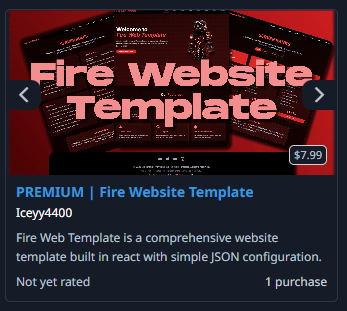
Images are automatically styled with rounded corners, borders, and lazy loading.
Tables
Create tables using pipes and hyphens:
markdown| Feature | Support | Status |
|---------|---------|--------|
| Syntax Highlighting | Full | ✅ Active |
| Dark Mode | Full | ✅ Active |
| Search | Full | ✅ Active |
| Mobile | Responsive | ✅ Active |
Rendered as:
| Feature | Support | Status |
|---|---|---|
| Syntax Highlighting | Full | ✅ Active |
| Dark Mode | Full | ✅ Active |
| Search | Full | ✅ Active |
| Mobile | Responsive | ✅ Active |
Blockquotes
Highlight important information with blockquotes:
markdown> Important: This is a blockquote used for highlighting key information.
Rendered as:
Important: This is a blockquote used for highlighting key information, warnings, or quotes from external sources.
Horizontal Rules
Separate content sections with horizontal rules using three dashes:
markdown---
Code Blocks with Syntax Highlighting
Use triple backticks with a language identifier for colored syntax highlighting.
JavaScript
javascriptfunction greet(name) {
  console.log(`Hello, ${name}!`);
  return true;
}

const user = { name: "John", age: 30 };
greet(user.name);
TypeScript
typescriptinterface User {
  name: string;
  email: string;
  age?: number;
}

function createUser(data: User): User {
  return { ...data };
}

const user: User = {
  name: "Alice",
  email: "alice@example.com"
};
Python
pythondef calculate_sum(numbers):
    """Calculate sum of numbers"""
    total = sum(numbers)
    return total

numbers = [1, 2, 3, 4, 5]
result = calculate_sum(numbers)
print(f"Sum: {result}")
Bash
bash#!/bin/bash
npm install
npm run dev
npm run build
CSS
css.container {
  max-width: 1200px;
  margin: 0 auto;
  padding: 2rem;
}

.button:hover {
  transform: scale(1.05);
}
HTML
html<!DOCTYPE html>
<html>
<head>
  <title>Page</title>
</head>
<body>
  <h1>Hello</h1>
</body>
</html>
JSON
json{
  "name": "docunaut",
  "version": "1.0.0",
  "scripts": {
    "dev": "next dev"
  }
}
Supported Languages
Syntax highlighting is available for JavaScript, TypeScript, JSX, TSX, Python, Bash, CSS, HTML, JSON, and more.